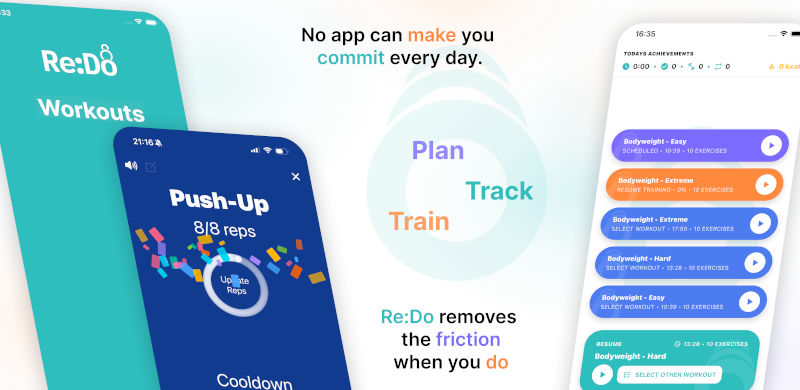
Create Your Own Workout App Flow
Many people search for “create your own workout app” because they do not want someone else’s template. They want their own exercise list, their own session logic, and a clean execution flow.
Plan your own training in Re:Do Workouts.
Create the workout in your own words, run it step by step with timers and notes, schedule it when it fits, and log what actually happened.
Build your own structure
- Create custom exercise names
- Organize by your own workout logic
- Schedule sessions and run them directly
- Adjust as your training evolves
Start small (then iterate)
The fastest way to make your own system is to start with one repeatable workout and improve it over time. Add the minimum that helps execution: exercise names, a few notes, and timing where transitions matter. Once the workflow feels good, clone and adapt it to build a full week.
Player + training log editor (switchable)
Creating a routine and then running it is the expected baseline. The more useful switch is during the session: you can stay in a focused player view, then flip into a gym-style training log editor to enter actual reps or time set by set.
Why this matters
Training systems are personal. Martial arts conditioning, calisthenics progression, and mixed strength blocks rarely fit one fixed content library. Re:Do is made for personal systems, not prepacked programs.
Common use cases
- Custom circuits and intervals (rounds + planned rest)
- Strength templates with simple progression notes
- Skill blocks where you want cues and timing
- Hybrid weeks where you mix different training types
Example workflow
Build a “Monday A” workout with your exact names and timer logic. Clone it to create “Thursday A” with small progression changes. Schedule both, run them, and track outcomes.
FAQ
Can I keep it very simple?
Yes. You can use only exercise names and basic structure.
Do I need predefined plans to use Re:Do?
No. The app is built around your own plan.
Is this only for advanced athletes?
No. “Create your own” just means you are not forced into a template. You can start simple and grow your structure.