Workout Planning & Routines
If you are looking for a workout planner app, you probably want the same few things: create workouts quickly, keep the structure readable, and run the session without friction. These pages cover how Re:Do approaches routine-building for self-directed training.
Plan your own training in Re:Do Workouts.
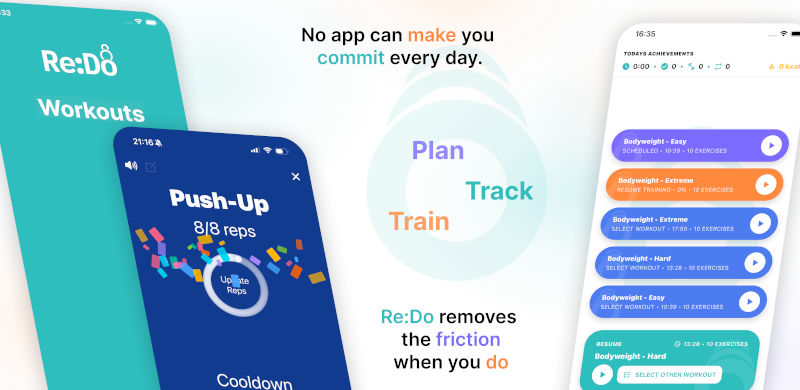
Create the workout in your own words, run it step by step with timers and notes, schedule it when it fits, and log what actually happened.
What “planning” should actually do
- Reduce decisions during training (you decide once)
- Keep workouts repeatable (same structure, small iterations)
- Support mixed formats (reps, timers, rounds, drills)
Planning for experienced users
A lot of planning content is written for beginners. But many people search for a workout app for experienced users because the needs are different: less instruction, more control, and a workflow that does not fight your system.
Re:Do is designed around “you own the program”. It is closer to a tool than a coach layer.
Custom structure (your logic, your workout)
If you want a custom workout structure app, you usually want to define your own hierarchy: warmup blocks, rounds, circuits, timed drills, accessories, and notes that match your training. This intent also shows up as define own workout logic app and non linear workout routine app.
Start here: Create your own workout app flow.
Exercise library (not fixed templates)
Many people want a custom exercise library app because their training is not “3 sets of 10” forever. Re:Do does not force a fixed exercise library; you can add what you actually train and keep workouts readable.
Related longtail intent includes workout notes per exercise app and visual workout instructions custom app. The principle is the same: keep the reference you need, without turning the workout into a social content feed.
Workout editor (where the plan lives)
Planning is easiest when editing is frictionless. The workout editor is where you build the routine structure you repeat: blocks, steps, notes, and timing. The training player is where you run it. Keeping those as two views of one workout makes planning and execution feel like one system instead of two tools.
Read: Training log editor + workout player. Also see: Workout log editor.
Core routine-building pages
- Workout planner app — build workouts you can actually execute
- Create your own workout app flow — define your own workout structure
- Workout player app — run the plan step by step
- Workout planner with timer — planning and timing in one flow
Sets, reps, and time blocks
Some people search for create workout with sets reps time because they do not want separate tools for spreadsheets, timers, and notes. Re:Do is built to keep structure and execution connected.
Scheduling
Once your workouts exist, scheduling is how you make the plan show up on the right days. If you are searching for a workout schedule app, start in scheduling and pick a pattern.
FAQ
How should I structure a routine if my workouts are not linear?
Start with the blocks you repeat (warmup, main work, accessories). Then keep variations inside those blocks.
This is the practical version of a non linear workout routine app workflow.
Can I combine reps and timers in one workout?
Yes. Many people plan mixed sessions: strength sets, timed conditioning blocks, and then skill work.
That intent shows up as workout app with mixed timers and reps.
Do I need to plan every detail?
No. Planning is about removing decisions during the session. Keep the minimum you need to execute cleanly.
What if I want notes per exercise?
Notes are often the difference between “I remember” and “I execute”. See workout notes per exercise app intent above.
Video-based workouts
If your routine starts from a video, keep the video as reference material and build the repeatable steps separately. The guide on using YouTube workouts without losing structure shows how to combine demonstrations, notes, timers, and a playable routine.