Use YouTube Workouts Without Losing Structure
A workout app with YouTube videos sounds simple: find a video, press play, and move. The problem starts after the first session. Which video was the warmup? Which movement needed a timer? What did you actually complete? Re:Do works best when video is treated as reference material, while the workout itself stays structured, playable, and logged.
Plan your own training in Re:Do Workouts.
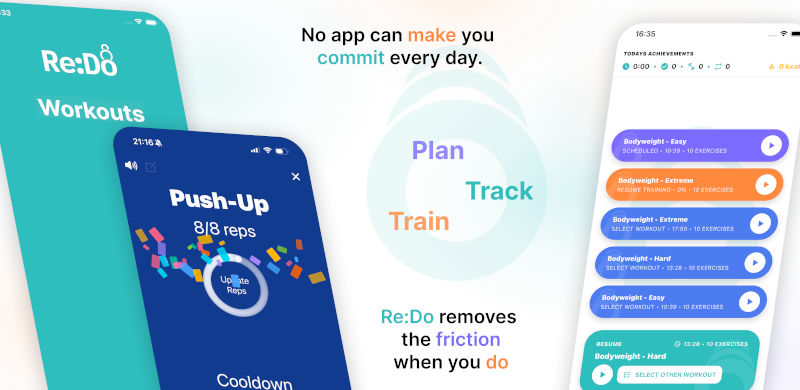
Create the workout in your own words, run it step by step with timers and notes, schedule it when it fits, and log what actually happened.
This page shows a concrete workflow for combining video-based workouts with a real routine: use YouTube for demonstrations and coaching cues, then use Re:Do for the plan, the timer, the schedule, and the training record.
Example workouts using YouTube
These examples show the difference between a video and a runnable plan. The video teaches or demonstrates; Re:Do holds the repeatable structure you want to come back to.
App workflow example
Use the video to understand the Re:Do flow, then build the repeatable session in the app.
Beginner follow-along example
Turn a beginner video into a scheduled mobility or recovery session with notes for the cues you need.
Timed practice example
Use the video for learning, then keep a simple timed practice in Re:Do so it does not disappear into watch history.
How to combine video and structured training
1. Pick the video role
Decide whether the video is a full follow-along session, a technique demo, or a cue reminder.
2. Build the workout
Create the steps in Re:Do with reps, timers, rest blocks, and notes you can read during training.
3. Add only useful links
Attach videos to exercises or notes where they remove confusion. Avoid linking every movement by default.
4. Schedule and log
Put the session on the calendar and track completion so the workout becomes part of your training history.
Limitations of YouTube-only workouts
- YouTube does not know your training week, recovery, or previous sessions.
- Long videos can hide the actual structure: warmup, work blocks, rest, and cool down.
- Playlists are easy to browse but harder to repeat as a program.
- Watch history is not a training log.
- Pausing a video is not the same as having a workout player that knows the next step.
Concrete Re:Do workflows
For a home workout, create the session in Re:Do first: warmup, strength circuit, conditioning finisher, and cool down. Use one YouTube link as the technique reference for the circuit, not as the whole plan. For mobility, create a timed practice and keep the video in the notes until the sequence becomes familiar. For skill work, attach a short demonstration to the exercise and use the Re:Do timer for practice rounds.
That approach keeps the best part of video, which is visual context, without losing the best part of structured training, which is repeatability. The result is closer to a workout player with references than a video playlist pretending to be a program.
Where Re:Do fits
Re:Do is designed to keep the routine playable. Start with the workout player app if the main problem is execution, or the workout planning guide if you are still shaping the routine.
For timer-heavy sessions, use the custom workout timer app guide. For a small, low-pressure setup, see the minimal workout app.
The useful question is not "can this app show a video?" It is "can I still run the session cleanly when the video is not enough?" That is the gap Re:Do is built around.
FAQ
Is Re:Do just a playlist app?
No. Video can be a reference layer, but the core workflow is the workout player, timers,
schedules, notes, and logs.
Should I attach videos to every exercise?
Usually no. Add video where it helps technique or recall. Too many links can slow you down.
Is Re:Do an attach videos to exercises app?
Re:Do is primarily a workout planner and player, but you can keep useful video references
in exercise notes or workout notes when a movement needs visual context.
Can I add videos to workout routine app notes?
Yes. Keep the routine structure in Re:Do, then add video links only where they help with
form, pacing, or remembering the intent of a drill.
Can I use YouTube follow-along workouts with Re:Do?
Yes. Use the video as the coaching layer, then create a simple Re:Do workout that captures
the structure you want to repeat and track.
Do I need a separate timer app?
If your workout has rounds, rests, intervals, or mixed reps and timers, an integrated
player is usually cleaner than switching apps mid-session.