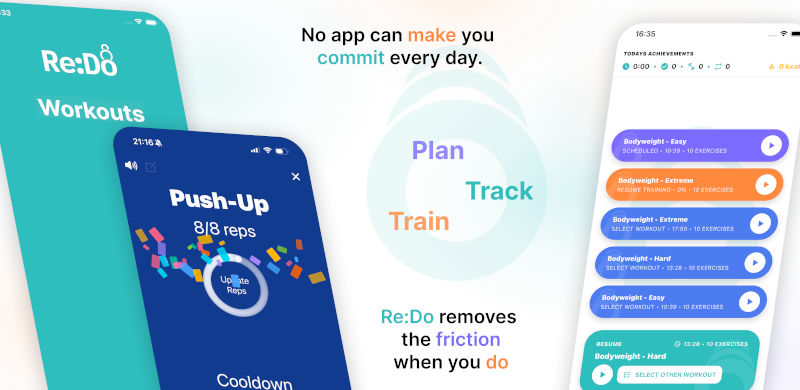
Training Log Editor + Workout Player
During a workout you want two things that usually fight each other: a calm, focused “next step” view, and a fast way to type what you actually did. Re:Do gives you both by letting you switch between a training player and an editor mode that behaves like a classic gym log.
Plan your own training in Re:Do Workouts.
Create the workout in your own words, run it step by step with timers and notes, schedule it when it fits, and log what actually happened.
Two modes of the same session
Think of this as one workflow with two views:
- Player mode: run the routine step by step with readable timing
- Editor mode: log sets with a form (actual reps or time) when precision matters
- Switch without jumping between apps, notes, or spreadsheets
What the editor mode is for
This is the “gym-like” view: you can enter actual results per set, mark sets skipped, and correct mistakes. It supports real sessions where the plan changes under load.
- Log reps, time sets, or mixed targets set by set
- Undo an accidental completion without rewriting your whole log
- Keep an honest record (partial workouts and edits included)
Where “workout editing” fits
Planning and routine building still matter, but the “no-brainer” part is that you can create a routine and then run it. The unique part is being able to switch between focused execution and a training log editor while staying in the same session.
FAQ
Is this a “workout builder” page?
Not primarily. This page is about the training log editor (gym-style logging) and how it pairs with the player during a session.
Do I have to log every set?
No. Log only what helps you progress. The app supports minimal logs as well as detailed ones.
Does the player replace a coach?
No. The player is an execution aid: it keeps the plan readable while you train.