Workout Log Editor (Gym-Style Logging)
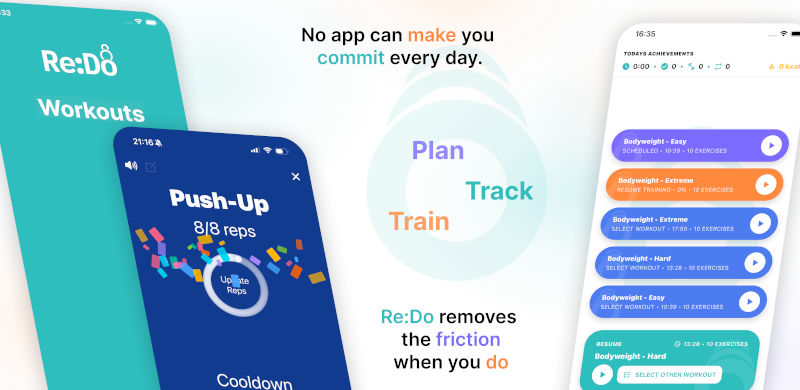
Some workouts want a focused “follow the plan” view. Others want a classic gym log: a clean editor where you type reps or time like a form. Re:Do supports both by letting you switch between a training player and an editor view during the same session.
Plan your own training in Re:Do Workouts.
Create the workout in your own words, run it step by step with timers and notes, schedule it when it fits, and log what actually happened.
What a workout log editor is (and what it is not)
A workout log editor is the “I'm doing this set right now” interface. It is not a motivational layer and it is not coaching. The goal is a fast, readable place to enter what happened: completed sets, skipped sets, and actual reps or time.
- Log set by set (reps, time, or targets)
- Mark sets as done or skipped
- Undo mistakes without editing a spreadsheet
Player mode vs editor mode
Think of these as two modes of the same session:
- Player mode keeps the next step obvious and reduces context switching
- Editor mode gives you a gym-like logging form when you want precision input
This is useful when you want a manual workout tracking app feel: your plan stays intact, but the log is honest about what you actually did.
Logging workflow (fast, honest, editable)
Real sessions are not perfect. A good logger supports real behavior: track partial workouts app days, log skipped sets workout app days, and times when you want to workout app edit after finish.
- Enter actual reps for a set even if you changed the plan mid-session
- Log time sets cleanly (minutes/seconds) without doing mental math
- Mark a set skipped and keep moving without breaking the session flow
Examples: when the editor mode wins
The editor mode is not only for “strength logging”. It is for any session where you want tight input and clean history:
- Strength: enter actual reps per set while keeping the session structure readable
- Accessories: fast checkboxes and numbers without turning training into admin work
- Timed drills: log minutes/seconds when targets are time-based
- Mixed sessions: switch between timing (player) and input (editor) instead of juggling multiple apps
If you want a minimal, practical record, this often beats using notes apps or spreadsheets as a “logger”.
Targets vs actuals (the log stays honest)
Many logs become useless because they only store the plan. A better log stores both: what you intended and what happened. That is how you keep progress review calm and factual instead of emotional.
- Targets help you keep intent clear (what you meant to do)
- Actuals help you see reality (what you did under the conditions you had)
- Edits are normal: the record should allow corrections without friction
Who this is for
If you want a gym log app without trainer features, this cluster is for you. It matches searches like simple gym log no plan and app to track workouts only: a tool that does the job and stays out of the way.
FAQ
Is this the same as a workout builder?
No. A workout builder is about creating the plan. The workout log editor is about recording what happened during the session.
In Re:Do you can do both, but the editor mode here is focused on logging.
Do I need to log every detail?
No. You can log only what helps you progress (for example: reps, time, or a short note). The goal is useful history, not busywork.
Will this push streaks or reminders?
No. If you are here because you want a calmer tool, also see Simple workout app philosophy.