Training Optimization Suggestions
“Optimize my training” can mean a hundred different things. In practice, good optimization is not a magic plan generator. It is feedback: based on what you actually do, what should you adjust next to train better?
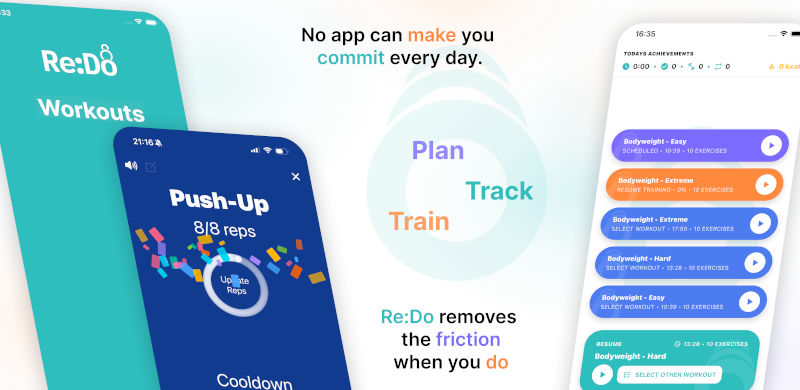
Plan your own training in Re:Do Workouts.
Create the workout in your own words, run it step by step with timers and notes, schedule it when it fits, and log what actually happened.
That makes optimization a second-layer feature. First you need a plan and a log. Then you can use optimization to spot patterns you missed: imbalances, missing categories, or rhythm issues that show up over weeks.
What “optimization” should do (and what it should not)
- Do: spot patterns, gaps, and imbalances you missed
- Do: suggest small, actionable changes you can actually apply
- Don’t: replace your training choices with generic prescriptions
- Don’t: turn everything into a score you chase for engagement
Useful suggestion types
The most helpful suggestions tend to be boring and practical:
- Balance: you’re doing a lot of one category and missing another
- Rhythm: your consistency dropped and you might want an easier “default” session
- Execution: your plan is good, but transitions/timing are messy (player helps)
Optimization starts with categories (not vibes)
Suggestions only work if the app understands your training at a basic level. In Re:Do that means categories. A suggestion like “you haven't done any pulling lately” should be based on actual logged sessions, not a generic template.
- Categories keep suggestions grounded in what you did
- They also keep optimization honest: if the data is sparse, suggestions should be quiet
- This pairs well with manual tracking and the training log editor
Apply, hide, repeat (a sane loop)
In the app, suggestions are meant to be actionable. You should be able to apply a change, or hide it if it is not relevant. The loop should stay calm: review → choose → apply → keep training → reassess later.
- Apply: turn a suggestion into a concrete next action
- Hide: remove noise when a suggestion doesn’t match your current phase
- Reassess: after enough sessions, see if the pattern changed
Rhythm over streaks
A lot of “optimization” products secretly mean pressure mechanics: streaks, scores, and guilt loops. That is not optimization — that is engagement design. A better approach is rhythm: notice when consistency dips, choose a smaller default session, and protect momentum without drama.
If you are specifically looking for a fitness app without pressure or a no streak fitness app style experience, optimization should feel like optional feedback, not a new obligation.
How Re:Do approaches optimization
Re:Do treats optimization as optional guidance on top of your log: actionable suggestions based on your training patterns, balance, and consistency signals. The goal is to help you notice what is missing and adjust without drama.
How to apply suggestions without losing your philosophy
Optimization only works if it respects ownership. A suggestion is a prompt, not a command. The best workflow is: review → choose → apply → keep training → reassess later.
FAQ
Is optimization the same as “AI coaching”?
Not necessarily. Optimization can be simple: trend + balance + consistency prompts from your history.
Will optimization tell me what to train?
Re:Do’s philosophy is tool-first. Suggestions should help you decide, not decide for you.
What if I don’t want suggestions?
Then ignore them. A good tool remains useful as a planner/player/log even without optimization prompts.
Should I set goals first or use optimization first?
If you want direction, set one small goal. If you want feedback, use optimization to spot what’s missing.
They work best together when both remain optional.