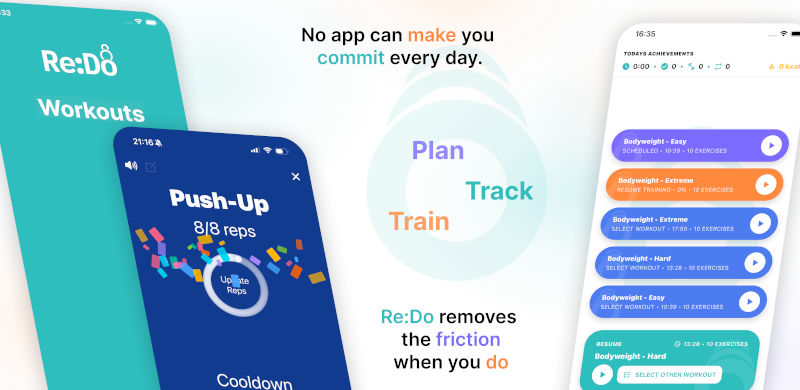
Schedule Workouts App
If you are searching for an app to schedule workouts, the goal is simple: put your sessions on a plan you can actually follow. Re:Do keeps scheduling intentionally lean: pick a workout, pick a schedule rule, set a start date (and an optional end date), and save.
Plan your own training in Re:Do Workouts.
Create the workout in your own words, run it step by step with timers and notes, schedule it when it fits, and log what actually happened.
Quick start: schedule your first workout
- Open a workout you want to run
- Tap schedule
- Choose a schedule type
- Set the start date (and optional end date for recurring schedules)
- Save and check your Schedule view
Choose the right schedule type
The best scheduling rule depends on what you are trying to make consistent:
- If you want one planned session, use Once.
- If you want a daily habit (mobility, rehab, skill work), use Daily.
- If you train on specific weekdays (Mon/Wed/Fri, Tue/Thu), use Weekly.
- If you want a monthly checkpoint (benchmarks, reminders), use Monthly.
- If you run a rolling cycle that does not fit a weekly calendar, use Every X days.
Scheduling options in Re:Do
- Once (one date) — schedule a single session
- Daily — repeat every day from the start date
- Weekly (specific days) — pick Mon/Tue/Wed… and repeat
- Monthly — repeat on a day of month (e.g. the 1st)
- Every X days — repeat on a custom interval anchored to the start date
Note: depending on your plan, some recurring options (Weekly, Monthly, Every X days) may require Re:Do Pro.
Popular schedule patterns
If you want a quick setup you can copy, these are common patterns people use in Re:Do:
- Mon/Wed/Fri workout schedule
- Every other day workouts
- A/B rotation (not tied to weeks)
- 8-week workout plan (use an end date)
Scheduling tips that prevent confusion
- Start date matters. It is the anchor for all recurring schedules.
- End date is optional. Add it when you want a block to stop automatically.
- Every X days uses an anchor. The interval repeats from the start date (for example: start Monday + interval 2 → Mon/Wed/Fri/Sun...).
- Weekly means specific days. Pick the exact weekdays you want, like Mon/Wed/Fri.
Troubleshooting
If a schedule does not look right at first, these are the most common reasons:
- Wrong start date. If the anchor date is off by a day, the whole pattern shifts.
- End date set too early. If the end date is before your expected sessions, the schedule stops.
- Locked schedule type. If you cannot select Weekly/Monthly/Every X days, it may require Pro on your plan.
- You meant “Once”. If you only wanted one session, a recurring rule can feel like a bug.
FAQ
Can I schedule workouts with an end date?
Yes. Recurring schedules support an optional end date so the plan can stop automatically.
What is the best schedule type for irregular weeks?
If you run rotating programs (A/B, PPL rotations) or travel often, “Every X days” can be easier than forcing everything into a weekly calendar.
What if I just want one planned session?
Use a one-date schedule so you can plan a single workout without committing to a recurring rule.