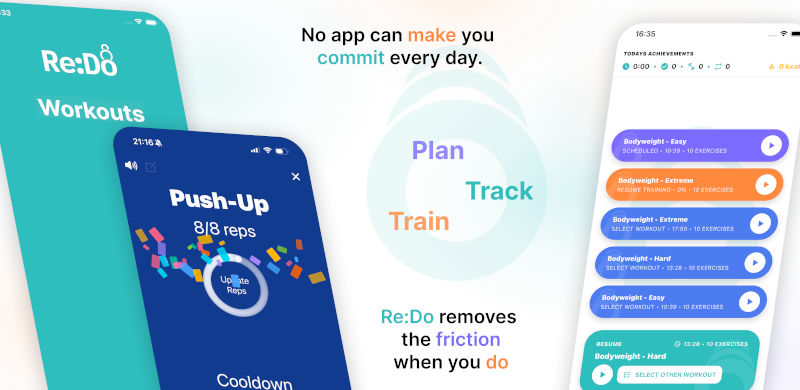
Daily Workout Schedule App
A daily schedule repeats a workout every day from a start date. It is best for short habits (mobility, rehab, skill practice) or simple “daily minimum” routines.
Plan your own training in Re:Do Workouts.
Create the workout in your own words, run it step by step with timers and notes, schedule it when it fits, and log what actually happened.
When daily scheduling is a good fit
- Mobility sessions you want to keep automatic
- Rehab work where consistency matters more than intensity
- Skill drills you want to repeat frequently
- Short “minimum effective dose” sessions that are easy to start
How to schedule a workout daily
- Open the workout you want to repeat
- Go to scheduling
- Select Daily
- Pick a start date
- (Optional) add an end date if you want it to stop automatically
- Save
Examples that work well daily
- 10-minute mobility reset before work
- Breathing / core reset on days you do not have time for a full session
- Rehab circuit with strict pacing
- Technique practice where repetition is the priority
Tip: keep daily workouts short (and obvious)
If a daily session is too long, it becomes a plan you avoid. A daily schedule works best when it stays easy to start.
Want weekdays only?
If you want a pattern like “Mon–Fri”, use Weekly scheduling and select the weekdays you want. Daily scheduling repeats every day.
Common mistakes
- Over-scheduling: daily works best when the workout is short enough to actually repeat.
- Forgetting the end date: add an end date for time-bound habits (like a 30-day challenge).
- Using daily for “almost daily”: if you really mean Mon/Wed/Fri or Tue/Thu, use Weekly.
FAQ
Can I use daily scheduling for a 30-day challenge?
Yes. Set a start date, then add an end date so the schedule stops automatically when the challenge ends.
Is daily scheduling only for easy workouts?
Not necessarily, but it is easier to sustain when the daily session is short and low-friction.